


Webportal manual

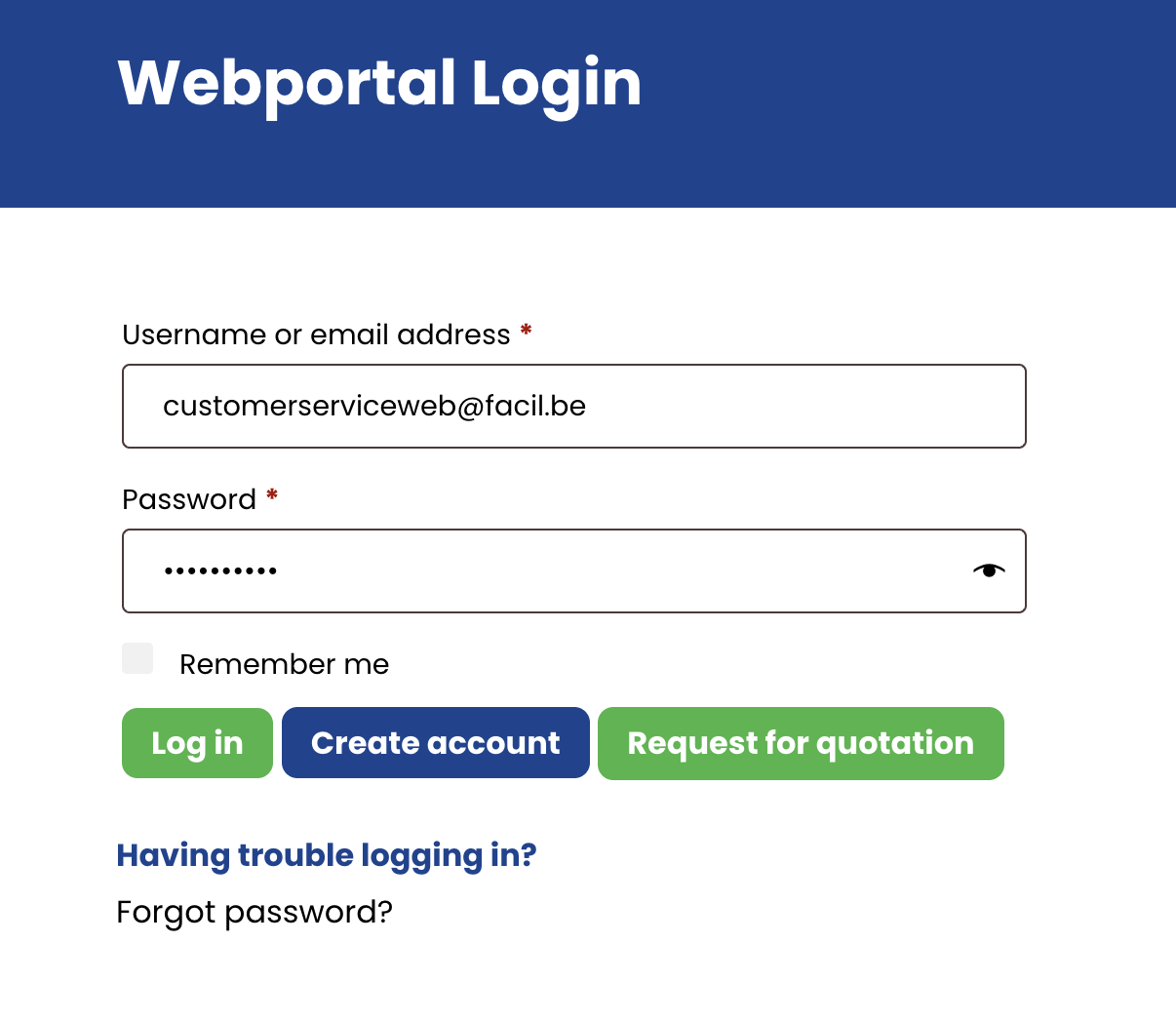
1. Login
a. If you don’t have an account for our new webportal, you can request access.
b. If you don’t remember your password, you can reset your password.
When you have a webportal account and know your password, you have to login.
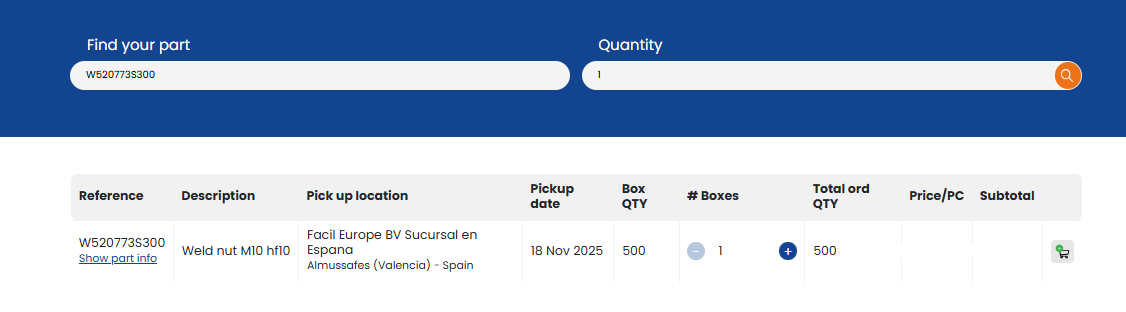
2. Search for parts and add them to the cart
After searching for the desired part number and quantity, you will see the availability, price, box qty and leadtime.
With the cart icon you can add the parts to your shopping cart.
3. Shopping cart overview
In the cart, you can check the partnumber, description, pickup location, pickup date, box quantity and prices.
In this screen, you are also able to change quantities if needed.
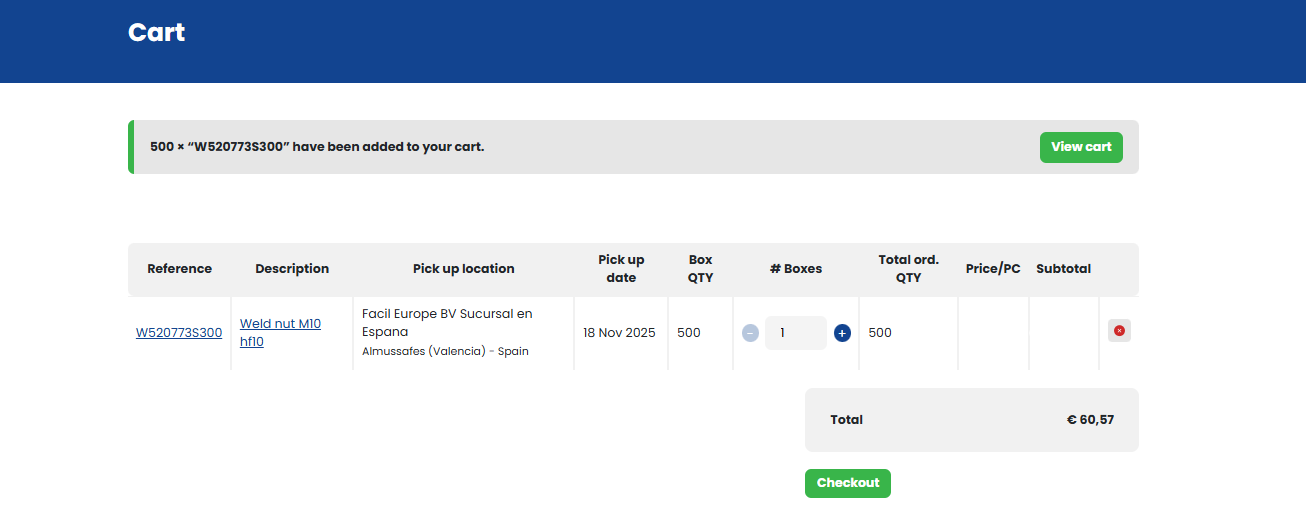
Click the “Checkout” button, to proceed to the checkout screen.
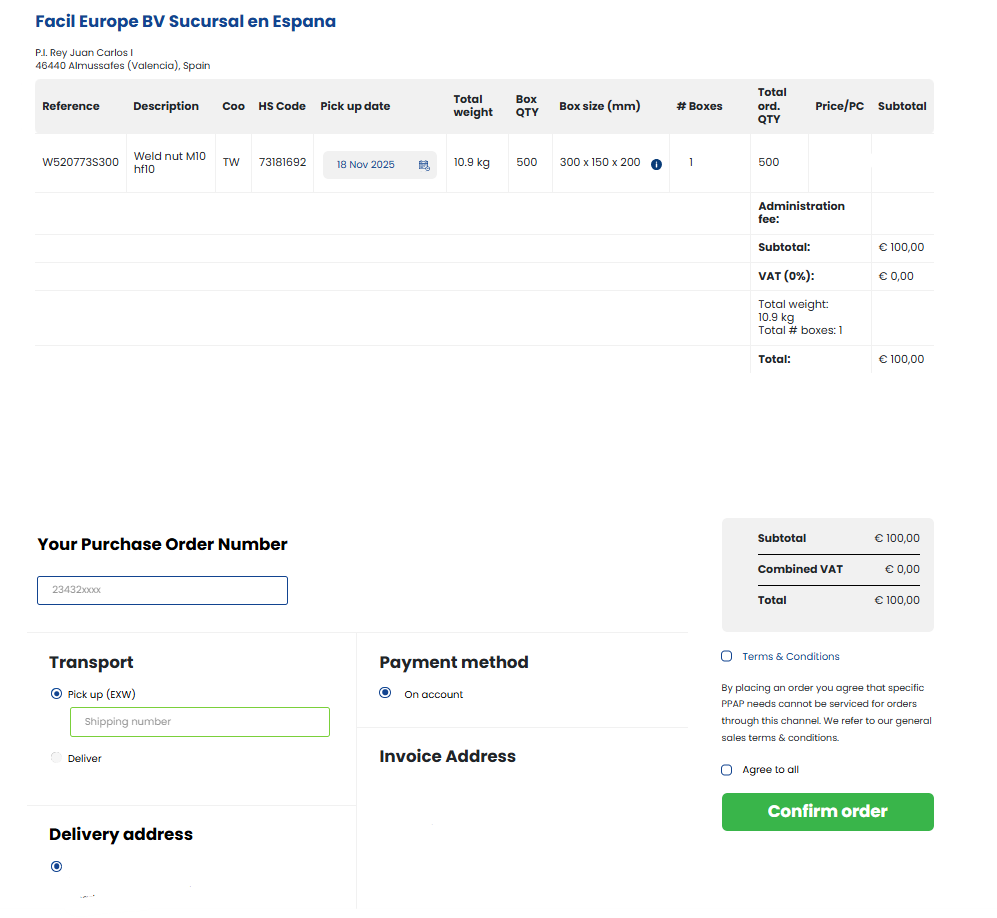
4. Checkout overview
In the checkout screen, you can review your complete order summary, including Country of Origin (CoO), box sizes, and weight for each part.
You can also update your reference, select transport and payment methods, and confirm our terms and conditions.
If needed, we can also expedite your order upon request once it’s placed.
5. Confirm order
After you click the button “confirm order” and the payment is finished (or in case of on account), you will receive an order confirmation by email.